

TurboCAD 2020 Designer [PC Download]
![TurboCAD 2020 Designer [PC Download] - Main View](https://m.media-amazon.com/images/I/71sT9a0qblL._AC_SL1401_.jpg)
Quick Look: At a Glance
- Overall Rating
- 2.7 / 5 (100+ ratings) See Breakdown
- Type
- 2D CAD Software
- Compatibility
- Windows
- File Sharing
- AutoCAD, SketchUp, PDF
- Support
- 4K Monitors
- Price (New)
- $59.99 (Subject to change)
⚖️ The Recoguru Verdict
TurboCAD 2020 Designer offers an affordable entry point into the world of 2D CAD software, providing a range of features suitable for basic drafting and design needs. The lack of subscription fees is a definite advantage.
However, numerous user reviews report significant problems with installation, registration, and customer support, making it a risky purchase. The low rating reflects these concerns.
Recommended for users on a tight budget who are willing to troubleshoot potential installation and registration issues. Consider alternatives if reliable customer support and guaranteed functionality are essential.
Pros & Cons Summary
➕Pros
- Affordable entry-level CAD software with a one-time purchase.
- Complete 2D drafting and detailing tools for various design needs.
- File sharing compatibility with AutoCAD and other formats.
- 4K monitor support for enhanced visual clarity.
- Option to upgrade to more advanced features in TurboCAD Designer 2020.
➖Cons
- Software installation and registration issues reported by multiple users.
- Lack of customer support and refund options, leading to frustration.
- Compatibility issues with newer operating systems may exist.
- Steep learning curve for users unfamiliar with CAD software.
Deep Dive: Features & Specifications
TurboCAD 2020 Designer is an essential 2D Drafting solution for new users of CAD, offering an easy-to-use precision 2D CAD software at an entry-level price.
- Affordable CAD with all the features you demand from a 2D CAD application at a great price.
- Complete 2D Drafting & Detailing including hundreds of drawing, modifying, dimensioning and annotation tools.
- Simple File Sharing with AutoCAD 2020 .DWG & .DXF, SketchUp .SKP, save to PDF and more!
- 4K Monitor Support
- Once you ve mastered 2D design, easily upgrade to the 2D features of TurboCAD Designer 2020.
TurboCAD 2020 Designer is an essential 2D Drafting solution for new users of CAD. It's easy-to-use precision 2D CAD software at an entry-level price. Use the setup wizard, tutorials, and context-sensitive help to immediately get productive. Quickly draw, modify, dimension, and annotate floorplans, technical illustrations, and any other 2D design you can think of. Essential 2D/3D CAD SOFTWARE: TurboCAD 2020 Designer is the best precision design solution on the market for new CAD users. It's easy to learn and use with quick access to hundreds of 2D drawing, modifying, and dimensioning tools that are perfect for designing floor plans, technical illustrations, flow charts, and more. It includes a customizable Ribbon Interface with 4K monitor support to optimize productivity and readability on higher resolution displays. TurboCAD 2020 PROFESSIONAL CAN HELP YOU DESIGN PROJECTS SUCH AS: Architectural drawings Remodeling plans Floor Plans Interior Design Layouts Landscape Design Plans Electrical Diagrams Mechanical Designs DIY Projects Invention Mock-Ups Graphics and technical illustrations 2D drafting, diagraming and schematic drawings Key Features & Benefits: TurboCAD 2020 Designer includes all the essential 2D Drafting tools you need for a beginner to intermediate needs. It's ready-to-use with a customizable interface that adapts to your needs and workflow. Learn quickly with set-up wizards, snaps, and alignment aids. TurboCAD Designer 2020 employs a large selection of line, arc, curve, and spline tools so that you've always got the right tool for the job. When used with TurboCAD's snaps, modification tools, and drawing aids you will be able to quickly draft and document your designs with no restrictions. A complete set of Dimensions and Text tools allows for better communication of design intent. Choose from over 70 hatch patterns (including colors), unlimited bit-mapped fills, and 100 levels of transparency to better visually identify various components of your drawing. It gives more options to control the appearance, editing, and printing of the drawing entities. Set visibility, line style, color, and more to create professional drawings. Save your Designs for sharing to this application standard format - includes support of both Model and Paper Spaces; insure accurate 'round-tripping' with industry-standard AutoCAD DWG. TurboCAD is compatible with a wide variety of popular CAD and Graphics formats i.e. AutoCAD DWG and DXF files, from R12 to 2020, VMRL Worlds Import/Export, PDF Export New Features: PERFORMANCE, USER INTERFACE & USABILITY: RIBBON LARGE/SMALL ICONS, AVAILABLE SPACE ICON SIZING: A new local menu option has been added when right-clicking on a Ribbon icon Users can now change the icon size/icon text to "Large Image and Text", which allows for display of a larger image of the tool icon with the associated text. CHANGING THE STYLES OF RIBBON ICONS WITH A LACK OF FREE SPACE: When using the Ribbon Interface, as you change either the UI Scale or Icon size through the Options/Toolbars and Menus /Options menu, the Size and Style (with or without text) of the icon will dynamically change. REPEAT LAST COMMAND: The new Repeat command allows the user to repeat the previous command with a single click. TEXT DRAGGER: ABILITY TO USE DEGREE, PLUS/MINUS, DIAMETER SIGNS WHILE ENTERING TEXT: TurboCAD now supports Special Signs when inserting text into your drawing. The local menu includes Degree, Plus/Minus, and Diameter signs to use. PERFORMANCE ENHANCEMENTS: You will get a productivity speed boost with new drawing improvements: Selector Tool (Drag Selection) - When in GDI draw mode, transformation operations such as Move, Rotate, and Scale have been greatly sped up. GDI Redraw with Small Objects - For drawings containing many small objects, redraw speed has been accelerated. 2D DRAFTING AND EDITING: BLOCK AND GROUP EDITING MODE INDICATOR BAR: When editing a Block or Group, a (new) small toolbar appears in the upper-left corner of the drawing area. The toolbar displays the Block or Group name and includes a 'Finish' icon to return the user to the main Model Space. QUICK DIMENSION IMPROVEMENTS: A new local menu option to the Quick Dimension tool now allows the user to dimension a Group of Graphics, such that the maximum X and Y-axis sizes of the Group are displayed. AUTO-NUMBERING FEATURE: The Auto-numbering tool allows you to select multiple text entities and have them auto-numbered. Numbers are placed either at the end of each text block or can replace the text block. AUTOCAD: TurboCAD now supports Import/Export of the AutoCAD 2020 DWG and DXF file formats. WE WILL HELP YOU LEARN: TurboCAD includes set up wizards, context-sensitive help, snaps, alignment aids, handle-based editing, and a flexible user interface. These will shorten your learning curve, and improve your productivity and design efficiency.Your purchase includes 6 months of free technical support, as well as access to our training tutorials, so you will not have to learn through trial and error. We are experts at creating CAD software and our tutorials will help you to become an expert user quickly. Plus, Context Sensitive help and a choice between using offline PDF manual and our Online help portal. Minimum System Requirements: Operating System: Windows 10, Windows 8, Windows 7 Processor: 32-bit and 64-bit Memory: 4 GB Storage: 2 GB available space Additional Requirements: TurboCAD Designer is delivered in a 64-bit version to take full advantage of your hardware's available computer memory to load, process, and render CAD files. A 32-bit version is also available if required by your hardware. RECOMMENDED: Your experience with TurboCAD Designer will be greatly enhanced with a newer generation, higher speed CPU, 8+ GB RAM.
User Review Analysis (Based on 100+ Reviews)
Based on over 100 customer reviews, here's a breakdown of common themes:
👍The Positive Reviews (30% 5-Star)
- Some users find the program good and functional once they learn how to use it.
- A few reviewers appreciate the lack of subscription fees compared to other CAD software.
- One user stated "This was great" and remembered how to use the program after 20 years with no problems.
- Another user stated "So far, Good." and was able to do what they needed to do.
👎Common Criticisms
- Many users report installation and registration problems, rendering the software unusable.
- Several reviewers describe the product as a scam due to invalid keys and lack of support.
- Some users express frustration over the lack of refund options for non-functional software.
- One user stated "SOFTWARE DOES NOT LOAD!!!! WASTE OF MONEY!!!! NO WAY TO RETURN OR CONTACT SELLER TO RETURN"
- Another user stated "The key for this product is invalid - download does not work and there is no way to contact Amazon for refund."
Available Options & Pricing
This review focuses on TurboCAD 2020 Designer [PC Download] (ASIN: B08BQWDFQ1).
Variation details not specified.
Buying Options: Available as a PC download. Ensure compatibility with your system before purchase.
Current Availability: Available now.
Check Price on AmazonSee All Buying OptionsAs an Amazon Associate, Recoguru earns from qualifying purchases.
Who Should Buy the TurboCAD 2020 Designer [PC Download]?
This product is a great fit for:
- Hobbyists and DIY enthusiasts looking for affordable CAD software.
- Students and beginners learning 2D drafting and design.
- Users who need compatibility with AutoCAD and other file formats.
- Individuals who prefer a one-time purchase over subscription-based software.
However, if you require reliable customer support, easy installation, and guaranteed functionality, you may want to consider alternatives.
Ready to Make Your Decision?
Find the best price for the TurboCAD 2020 Designer [PC Download].
🛒 Buy on Amazon NowMore from Software

9th and Vine Compatible Windows 10 Home and Professional 32/64 Bit DVD. Install To Factory Fresh, Recover, Repair and Restore Boot Disc. Fix PC, Laptop and Desktop.

E85-02195 Microsoft Windows XP Professional With Service Pack 1A OEM E85-02195
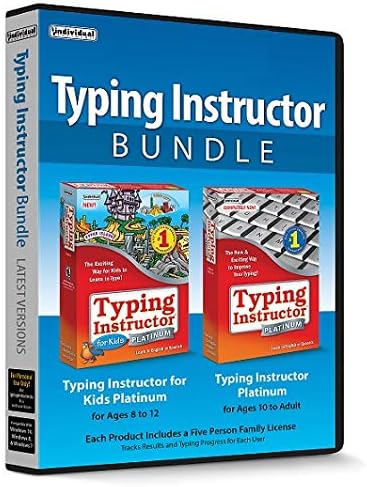
Typing Instructor Bundle - Includes Two Software Programs for Kids & Adults to Learn to Touch Type - CD/PC

Broderbund PrintMaster Version 18.1
