
![Jumpstart 3D Virtual World - My First Adventure [Old Version] Thumbnail](https://m.media-amazon.com/images/I/71pGadakEaL._AC_SL1001_.jpg)
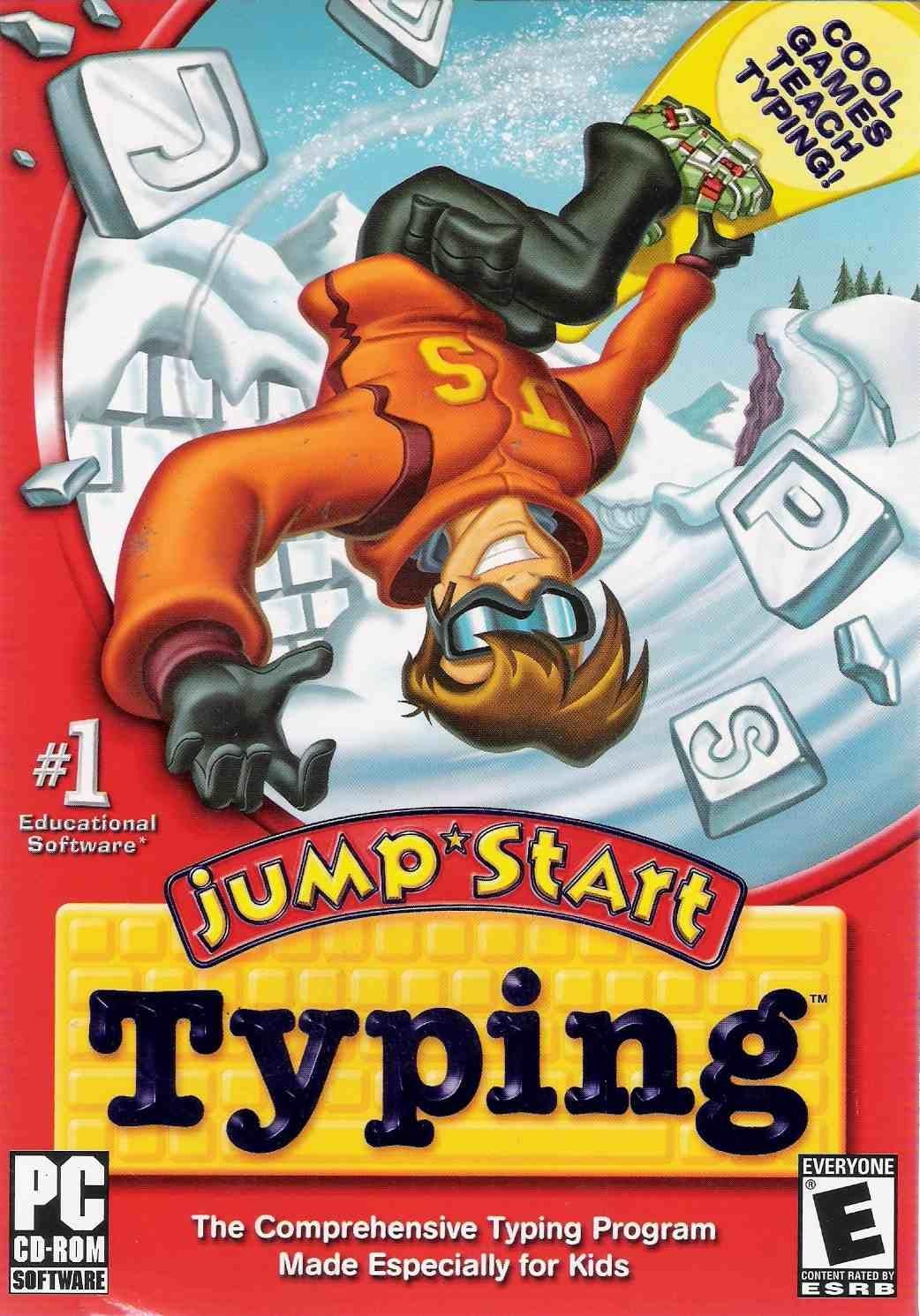
Jumpstart Typing
Quick Look: At a Glance
- Overall Rating
- 3.1 / 5 See Breakdown
- Platform
- PC & Mac
- Skills Taught
- Typing Technique, Speed, Accuracy
- Game Types
- Rock Climbing, Skateboarding, Football, Snowboarding
- Price (New)
- See Amazon for current price (Subject to change)
⚖️ The Recoguru Verdict
Jumpstart Typing offers a playful approach to learning essential typing skills. While it may not be a perfect fit for every child or operating system, it provides a solid foundation for developing proper typing techniques through engaging games and activities.
Keep in mind that some users have reported compatibility issues and that individual engagement levels may vary. Consider these factors when making your decision.
Recommended for parents seeking a fun and educational typing program for their children, especially if compatibility with older systems is not a primary concern.
Pros & Cons Summary
➕Pros
- Designed specifically for kids to make learning to type fun and easy.
- Teaches proper keyboarding technique, increases typing speed and accuracy, and emphasizes correct hand placement and body posture.
- Engages children through extreme sporting events like rock climbing, skateboarding, football, and snowboarding.
- Some users have found it to be a great start for even young children, matching the level of the typist and growing more challenging as they improve.
➖Cons
- Some users have reported compatibility issues with Mac operating systems.
- The program may not be engaging enough for all children, as some prefer other typing programs like SpongeBob Typing.
- Older reviews mention issues with running the program on Windows 7.
Deep Dive: Features & Specifications
Jumpstart Typing is designed to teach children proper typing techniques through fun and engaging games.
- Designed specifically for kids, JumpStart Typing combines our award-winning learning system with exciting game play to make learning to type fun and easy.
- Children become accomplished typists while being entertained and engaged in four extreme sporting events including rock climbing, skateboarding, football, and snowboarding.
- Skills Taught: Proper keyboarding technique, Increased typing speed, Increased typing accuracy, Correct hand placement, Correct body posture
Jumpstart Typing aims to make learning to type an enjoyable experience for kids. Through a series of interactive games and activities, children can develop essential typing skills while being entertained. The program covers proper keyboarding techniques, increases typing speed and accuracy, and emphasizes correct hand placement and body posture. It's a solid choice for parents looking to introduce their children to the world of touch typing in a fun and effective way.
User Review Analysis
Based on customer reviews, here's a breakdown of common themes:
👍The Positive Reviews (20% 5-Star)
- Some users found the program to be great for kids, matching the level of the typist and growing more challenging as they improve.
- One user reported that their daughter was typing 3 words per minute after one sitting and enjoying it.
- Another user mentioned that their daughter happily substituted the games in JumpStart Typing for other arcade games.
- One user stated that the program works great and the kids loved it.
👎Common Criticisms
- Some users have reported compatibility issues with Mac operating systems, particularly older versions.
- One user found SpongeBob Typing to be more engaging for their children.
- Several users reported that the program did not work on their Mac despite being advertised as compatible.
- One user mentioned that the program ran upside down on Windows 7.
Available Options & Pricing
This review focuses on Jumpstart Typing (ASIN: B0009STM84).
Variation details not specified.
Buying Options: Check availability. Prices may vary.
Current Availability: See Amazon for availability.
Check Price on AmazonSee All Buying OptionsAs an Amazon Associate, Recoguru earns from qualifying purchases.
Who Should Buy the Jumpstart Typing?
This product is a great fit for:
- Parents looking for a fun and engaging way to introduce their children to typing.
- Children who enjoy playing games and learning new skills.
- Educators seeking a supplemental tool to teach typing in the classroom.
However, if you need guaranteed compatibility with older Mac operating systems, or if your child prefers a different style of typing program, you might want to consider alternatives.
Ready to Make Your Decision?
Find the best price for the Jumpstart Typing.
🛒 Buy on Amazon NowMore in Early Learning
![Reader Rabbit 1st Grade Capers On Cloud Nine [OLD VERSION] (PC/Mac Disc) Thumbnail](https://m.media-amazon.com/images/I/71qYmR01nfL._SL1000_.jpg)

![Typing Instructor for Kids Gold [PC Download] Thumbnail](https://m.media-amazon.com/images/I/81e63bVHgDL._AC_SL1500_.jpg)

More from Software

Disney Ready to Read with Pooh
![Greeting Card Factory Deluxe 11 [Download] Thumbnail](https://m.media-amazon.com/images/I/81j8mW9HeuL._AC_SL1500_.jpg)
Greeting Card Factory Deluxe 11 [Download]

Scrapbook Factory Deluxe 5.0

Typing for Kids Ages 9-12 Keyboarding Space Mission: Learn to Type Software Program - Beginners to Advanced Computer Typing Games and Lessons (PC, Mac, Chromebook Compatible)

Home design and 3D construction software compatible with Windows 11, 10, 8.1, 7
![Corel Painter 2023 | Professional Painting Software for Digital Art, Illustration, Photo Art & Fine Art [Mac Download] (Painter Full, Download (Mac)) Thumbnail](https://m.media-amazon.com/images/I/91hqgTSStUL._AC_SL1500_.jpg)